Docs / Databases
Databases
Create a PostgreSQL database and use it from chat, workflows, apps or the CLI. Grants control database access and row policies control its rows.
What a database is for
Each run of a workflow starts from its own event. To keep something for later runs, such as an open refund request, a job writes it to a database. A later run, an app or Chat can then find it.
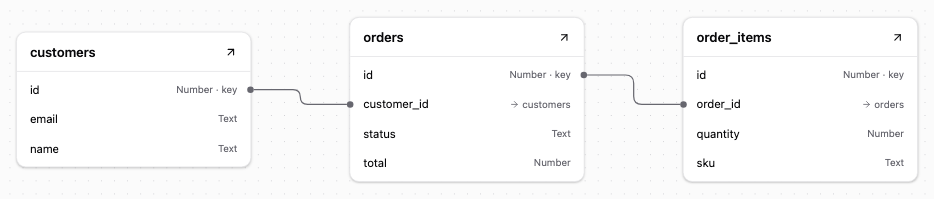
Data sits in tables: rows of records with named columns, each column with a type such as text, number or date.
Create a database
Create a database named orders with the OAIZ CLI. Sign in first. Databases must be enabled for your organisation.
oaiz db create --name ordersUse chat to shape its schema and work with records. Workflow database actions read and write rows. Apps use the OAIZ SDK, and the CLI calls the authenticated API. The database ID returned by creation identifies it in later calls.
PostgreSQL 18
Each OAIZ database is a separate PostgreSQL database on a shared managed cluster, with its own tables and access rules. An Owner can add any of 12 vetted PostgreSQL extensions, including pgvector for vector search. The Extensions and performance reference covers installation and search examples.
Tables use PostgreSQL column types and constraints. Primary keys identify rows, and foreign keys relate tables. Indexes support queries. Columns can hold exact numeric values, dates, or structured JSON using JSONB. Schema changes also support sequences, custom types such as named status values, views, functions, and triggers.
Your tables live in the data schema.
Access and security
The PostgreSQL database is on a private network and does not accept direct connections from the public internet. Use the OAIZ interface, chat tools, workflow actions, or authenticated API to work with your data. The SDK also connects through this API. OAIZ holds the database connection credentials and checks each operation against the account or app’s database permissions.
When you create a database, you receive Owner access. Administrators of your organisation also have Owner access to every database. Everyone else needs a grant. A grant gives an account permission to use the database at one of three levels. Use Share to see who has access and change their permissions.
- View
- Read the schema, query rows and views with SELECT, and call STABLE and IMMUTABLE functions. Row rules determine which rows the account can read.
- Edit
- Read, insert, update, and delete rows within the limits set by row rules, and call any function.
- Owner
- Includes Edit access, plus permission to change the schema, manage grants, and delete the database. Multiple accounts or teams can have Owner access. The database must keep at least one Owner grant.
You can grant access to a person, a team, everyone in the organisation, or an app. If several grants apply to an account, it receives the highest access level. Grants do not expire and cannot deny access or exclude specific accounts. Organisation-wide sharing covers people. Service accounts need a direct grant or membership in a team with access.
An OAIZ app can receive View or Edit access and uses its own grant. People using the app do not need a database grant, and their personal grants do not affect the app’s access.
Each job runs under its own managed account, including tests and manual runs. This account needs a grant to read or write. Saving a database action can give access to the database named in that action, within the saver’s and workflow owners’ access. Queries receive View. Writes receive the available level, up to Edit. The Agent and Code execution tools Storage Query and Storage Execute work only on the databases chosen for each tool, and saving gives View on those chosen for Storage Query and Edit on those chosen for Storage Execute. See Access control for the job’s Access dialog and confirmation rules.
Row policies decide which rows an account with a grant can read or change. The Row policies reference explains the default rules, platform rules and replacements an Owner can install.
OAIZ checks the organisation and database at the start of each read transaction. Write policies also check the organisation, database, and granted access level. View access never permits writes. Restrictive PostgreSQL policies added by an Owner also apply to other Owners.
Deleting a database stops access to it. Limits, events and backups covers restoring that database and recovering the service.