All videos
Databases · 2:30
Remember things with databases
Keep data between runs in a managed database, and read and write it from your workflows.
Transcript
0:01Welcome
This video explains how a workflow remembers things from one run to the next.
0:07Each run starts fresh
Every run starts from one event. When Maya writes in about order 4821, the jobs work from her email. When the run ends, the workflow keeps no memory of it. The next email starts a run that knows nothing about the last one. So the workflow cannot tell whether Maya asked for a refund before. For that, it needs a database.
0:30A database in the Library
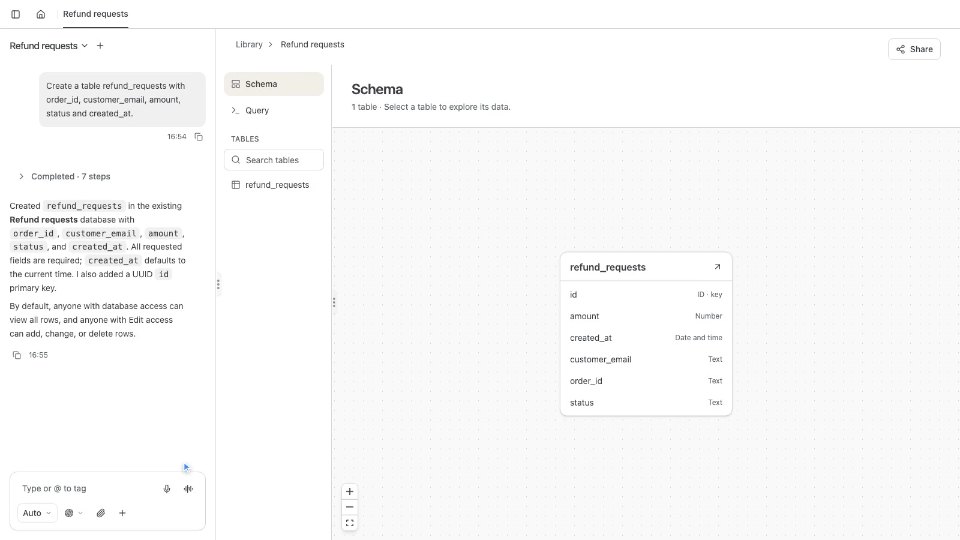
Databases live in the Library. New, then Database, makes an empty one. A database holds tables. This one, Refund requests, has a row for each request. Open a table to browse and edit its rows, or use Query to find exactly the ones you need. Chat can also create tables, and read or change rows for you.
0:53Read and write from a workflow
In a workflow, two actions use a database. Query database reads rows, and Write to database changes them. When Maya's email arrives, a Query database job looks for her earlier refund requests. It finds one, for order 4612 in September, and passes it on in its output event. Then a Write to database job adds a row for order 4821, so the next run can find it. The draft for Sam now mentions that Maya asked once before. Agent and Code Execution jobs reach a database through their Storage Query and Storage Execute tools.
1:34Each change is an event
Each saved change to the rows also publishes an event, Rows changed. Jobs can listen for it. Here, a second workflow tells the support channel about each refund request.
1:47Access and test runs
Each job runs as its own job account, which needs access to the database. Saving a database job can give it View to read, or Edit to write. Access, under More actions, lists the databases it needs. In a test run, a write runs and then rolls back, so your tables stay as they were. Turn on Write in Permissions to keep the rows. Their Rows changed events go out too.
2:15What you can build
With a database, a workflow can remember. Log every refund, count how often each customer writes in, or track orders that still need a reply. To go deeper, read the Databases page in the docs.