Docs / Workflows / Integrations / Airtable
Airtable
Read Airtable bases and records, create or change records, and start workflows from record changes.
Connecting
Connect Airtable from Integrations and sign in to your Airtable account. The OAuth consent screen lets you choose the bases or workspaces OAIZ can access. The account’s Airtable permissions still apply to every read and write.
Connecting an account does not start record events. The connection’s Owner selects which bases to enroll for webhooks. Each selected base requires Creator access in Airtable. The bases authorized in Airtable, the people sharing the OAIZ connection and the bases enrolled for events are separate choices.
Read tools
- List Bases
- Read the bases available to the connected account, with each base’s ID, name and current permission label. The result can contain a next page.
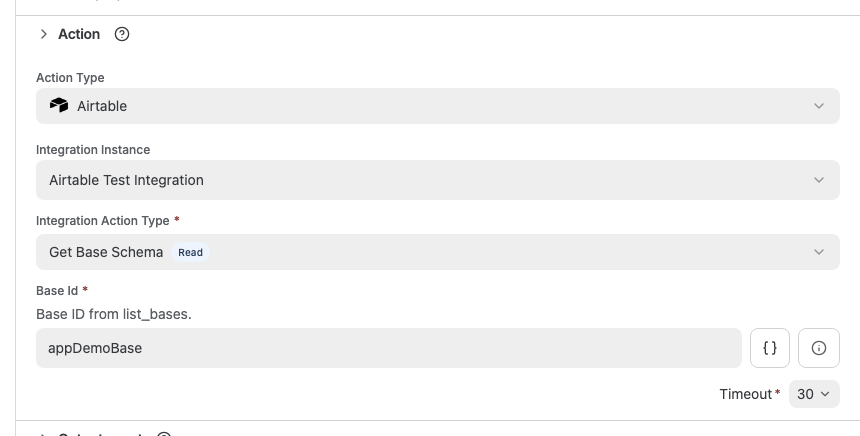
- Get Base Schema
- Read a base’s tables, fields, field types, options and views. The result includes the IDs used to select tables, fields and views in record actions.
- List Records
- Read one page of records from a table, with optional formula, view, field and sort filters. Each record has its ID, creation time and cells keyed by field ID.
- Get Record
- Read one record by ID. Airtable can resolve a record elsewhere in the requested base, so this result does not confirm that it belongs to the requested table.
Write tools
- Create Record
- Create one record in a selected table using field-ID keyed cells. An empty fields object creates a blank record. The result contains the record returned by Airtable.
- Update Record
- Change selected cells on one record. Omitted field keys stay unchanged. The result contains the record returned by Airtable and any additional provider details.
- Delete Record
- Delete the selected record. The result identifies the record and reports whether Airtable confirmed its deletion.
The fields input is a JSON object. Updates preserve supplied nulls, empty strings, empty arrays, false values and nested JSON. Clearing behavior depends on the Airtable field type. Supplying an array replaces the cell’s array, and an empty update object is rejected.
The optional typecast setting defaults to false. Enabling it asks Airtable to convert values and can create select options. Additional details in a create or update result can describe provider warnings.
Reading records
Record actions use baseId, tableId and recordId to identify resources. Field names can change, so returned cells use stable field IDs such as fldName. Get Base Schema supplies those field IDs and the available view IDs.
- query
- An Airtable filter formula. For example, a formula can select records whose status matches a value.
- viewId and fields
- A view limits the returned rows. Columns hidden in that view are still returned unless fields selects a smaller set of field IDs.
- sortBy and sortOrder
- Sort by one field ID, ascending or descending. Ascending is the default when sortBy is supplied. Without a sort field, Airtable or the selected view determines the order.
- limit and nextCursor
- List Records defaults to 10 records and accepts at most 100 per page. List Bases and List Records can return nextCursor for another page. Pass that value as cursor. A record continuation requires the same base and table, retains the original filters and rejects conflicting values.
Record events
An enrolled base can publish these three event types. Their properties identify the base, table and record. Event cells use Airtable’s V2 webhook format, which can differ from the record tools’ cell values. An event can include the Airtable user responsible for the change when Airtable supplies that identity.
- Record Added
- e:airtable/record-add reports a newly added record and the cells included in its change payload.
- Record Updated
- e:airtable/record-update contains changed cells, including explicit null clears, and can include previous values. Get Record reads a current record snapshot when the workflow needs it.
- Record Removed
- e:airtable/record-remove identifies a removed record. Its deleted cell contents are unavailable.
OAIZ renews active webhook subscriptions. An expired or inaccessible subscription requires the Owner to enroll the base again. Airtable retains webhook payloads for seven days, and changes beyond that history cannot be reconstructed by this connection.
People and base access
OAIZ can collect the visible bases, individual collaborators and available account email addresses. Observed read and comment permissions become read access. Edit, Creator and owner permissions become write access. These observations are approximate because group membership and table or field restrictions can affect actual access.
Collection is partial. Users who have access only through a group are absent from the individual collaborator list. A partial scan retains earlier observations, so an entry can remain after its access changes in Airtable.