Docs / Workflows / Actions / Code execution
Code execution
Run Python on an incoming event. Code can calculate values, transform data, use selected OAIZ capabilities and return generated files.
The Python job
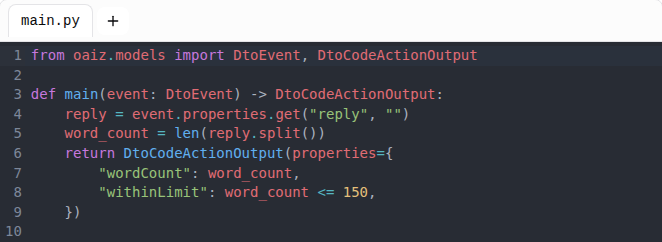
main.py is the fixed entry file. It defines main(event: DtoEvent) -> DtoCodeActionOutput. The argument is a typed event object, not a dictionary. Its properties field contains the workflow data, and files identifies its attached files. event.has_files is the Python name for hasFiles, defined in Events. It describes the source event’s stored files even when the sandbox file filters select none. When constructing DtoEvent in Python, omitting has_files derives it from files. An explicit value is preserved.
codeFiles holds main.py and any supporting Python files. Local files are scratch space for one execution. Data that must survive a run belongs in an output event, a knowledge document, a database or a connected service.
An order input
The following example is the properties object of an incoming event. Quantities are whole numbers and unitPrice is a decimal string. The code below calculates their total and creates a CSV file.
{
  "items": [
    { "quantity": 2, "unitPrice": "12.50" },
    { "quantity": 1, "unitPrice": "8.25" }
  ]
}
Calculate and export
The job must have an output event because this function returns a new file.
import csv
from decimal import Decimal
from io import StringIO

from oaiz.files import output_file
from oaiz.models import DtoCodeActionOutput, DtoEvent


def main(event: DtoEvent) -> DtoCodeActionOutput:
    items = (event.properties or {})["items"]
    total = sum(
        (Decimal(str(item["unitPrice"])) * int(item["quantity"])
         for item in items),
        Decimal("0"),
    )

    report = StringIO()
    writer = csv.writer(report)
    writer.writerow(["itemCount", "total"])
    writer.writerow([len(items), str(total)])

    return DtoCodeActionOutput(
        properties={"itemCount": len(items), "total": str(total)},
        output_files=[output_file(
            report.getvalue().encode("utf-8"),
            "order-summary.csv",
            "text/csv",
        )],
    )
Decimal keeps the calculation in decimal arithmetic. The result returns the total as a string so it is an ordinary JSON value. csv writes the report, and output_file declares its bytes, filename and content type for OAIZ to store.
Properties and output files
- properties
- A dictionary of JSON values returned by main. Output schema fields must be present here. The output event maps needed values through references such as {{ action.total }}.
- output_files
- New files declared with oaiz.files.output_file. OAIZ stores their bytes after main returns and attaches the stored files to the output event.
- output_file_ids
- Selects files OAIZ already stored, such as a selected input or a tool-created file. A local path or invented ID does not create a file.
The Python return value must be DtoCodeActionOutput. A plain dictionary is rejected. The declared output schema describes the fields the workflow expects, while the code remains responsible for the values it returns.
Models, tools and input files
allowedModels, allowedTools and allowedIntegrations select the capabilities available through the OAIZ SDK. Each integration selection names its connection and permitted actions. Knowledge, database and integration calls use the job account’s grants. storageTools names the databases that storage_query and storage_execute can use. A call to another database is refused. publishEventTypes names the event types that event_create can publish, either one type or every type of a custom provider. A call for another type is refused. Integration calls are also limited to allowedIntegrations and the run’s read and write settings.
The sandbox has no direct internet access. Calls to external services use the selected OAIZ tools and integration actions rather than a direct HTTP request from Python.
With includeFiles enabled, matching input files are available under data/. oaiz.files.read_file reads bytes and read_file_text reads text. Filename and type filters limit which event files are supplied.
Limits and tests
A job accepts up to 100 source and test files, with a 100 KiB limit for each. Their content and the saved code explanation together have a 1 MiB limit. Returned JSON has a 1 MiB limit. A run can export up to five new files with at most 10 MiB of content in total.
The job timeout limits execution. The sandbox’s own timeout is capped at one hour. Invalid return values, missing declared fields, invalid file declarations and exceeded limits fail the action.
A workflow test runs main with the selected test event. Integration calls follow its read and write permissions. Python and native tools still execute. Knowledge document changes follow the Write permission, and creating an event follows Publish Events. Separate testFiles are not a replacement for that event-driven execution.