All videos
Events · 2:34
Triggers: what starts a workflow
A trigger is the event that starts a workflow. See where triggers come from, and how a job picks one.
Transcript
0:01Welcome
A trigger is the event that starts a workflow. This video shows where triggers come from, and how you set one on a job.
0:10What is in an event
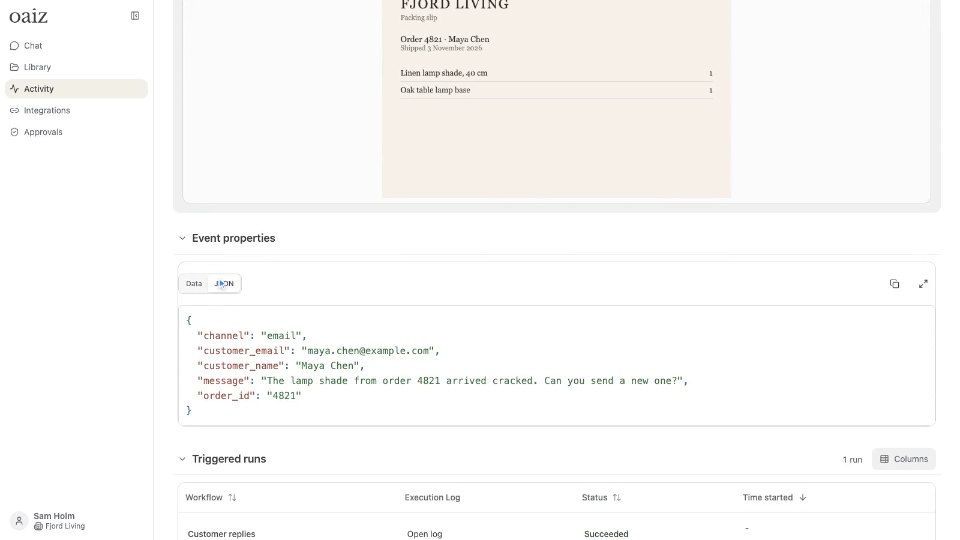
An event records that something happened, like Maya Chen's email about order 4821. Its type names the provider and what happened. Here, Gmail and email received. Its properties hold the content. The sender, the subject, and the text.
0:27Integrations and your systems
Most triggers are events your integrations publish, with no code from you. A message in the support inbox is one. An issue created in Linear is another. Your own systems post events to the OAIZ API, like the web shop's return requests. A custom integration gives them their own provider, such as custom-fjord-shop.
0:52Workflows and schedules
A finished job can also publish an output event, with its result. The sorting job publishes Request sorted. That is the next job's trigger. The last job's event, Reply sent, can start a different workflow. A Schedule job has no trigger. It starts runs at the times you set. This one starts a weekly summary for Sam every Monday at nine.
1:19Trigger and Filters
Every job has a Trigger. It picks the one event type that starts the job. Show properties opens the latest event of that type, so you see what the job can read. Filters narrow the trigger. This job runs only when the message mentions an order. Other emails stop there, and the canvas shows Filters not met.
1:41Events in Activity
Activity lists every stored event, under Events. Each row shows the integration, the event type, and when it arrived. Open one to see its properties, and the runs it triggered. Add Custom Event publishes one by hand, with a provider, a name and properties. Every live workflow with that trigger starts, which helps when you test.
2:05Choose the right trigger
Start from the moment the work begins, like a customer writing in. Find that event in Activity, and check it carries what the job needs. Pick its type under Trigger, and add Filters for the right cases. Use a Schedule job for set times, and the API for your own systems. You now know where triggers come from. The Events page in the docs has the details.