All videos
Integrations · 1:30
Connect your tools
Connect an account, pick the right one, and know what it can change.
Transcript
0:01Welcome
This video shows how to connect the tools you use at work, like your email or your team chat, and what OAIZ can do once they are connected.
0:11What an integration is
OAIZ works with the tools your business already uses. Email, chat, calendars, and documents. To use one, you connect your account on the Integrations page. OAIZ calls this an integration. You sign in with the tool itself, and approve what OAIZ is allowed to access.
0:32Choose the right account
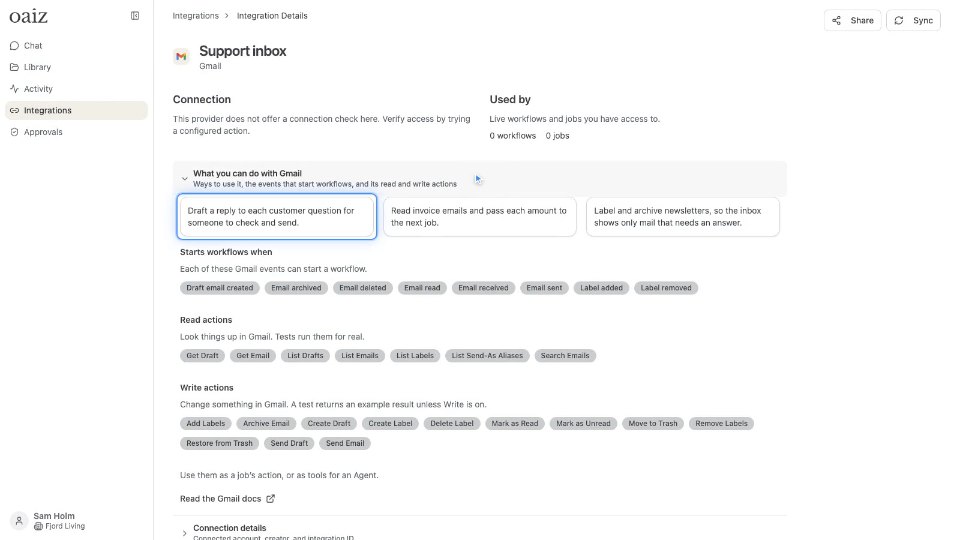
You can connect more than one account for the same tool. For example, the shared support inbox, and your own inbox. Each integration has its own account and its own permissions. Each job uses the integration chosen for it. Make sure a customer reply goes out from the support inbox, not from your personal one.
0:53Reading and changing
Some actions only read information, like finding an email or looking up a file. Others change something, like sending a message or creating a task. These are the steps to check most carefully. When you test a workflow, Read is on, and Write is off by default. You see what would happen, without sending anything.
1:15Removing an integration
To remove an integration, open Integrations, and choose Remove from its menu. Removing an integration pauses the live workflows that use it, so nothing runs with a missing account.