All videos
Developer · 2:38
What you can build on OAIZ
What programs can do with OAIZ through the API and the CLI, how an API key works, and when to use which.
Transcript
0:01Welcome
This video shows how your own software works with OAIZ, through the API and the CLI.
0:08Open to programs
In the app, you work with workflows, jobs, events, runs and knowledge. Your programs reach the same things. Code calls the API, and a terminal or a coding agent uses the CLI. Each program uses an account, and reaches only what that account is allowed to.
0:27The API
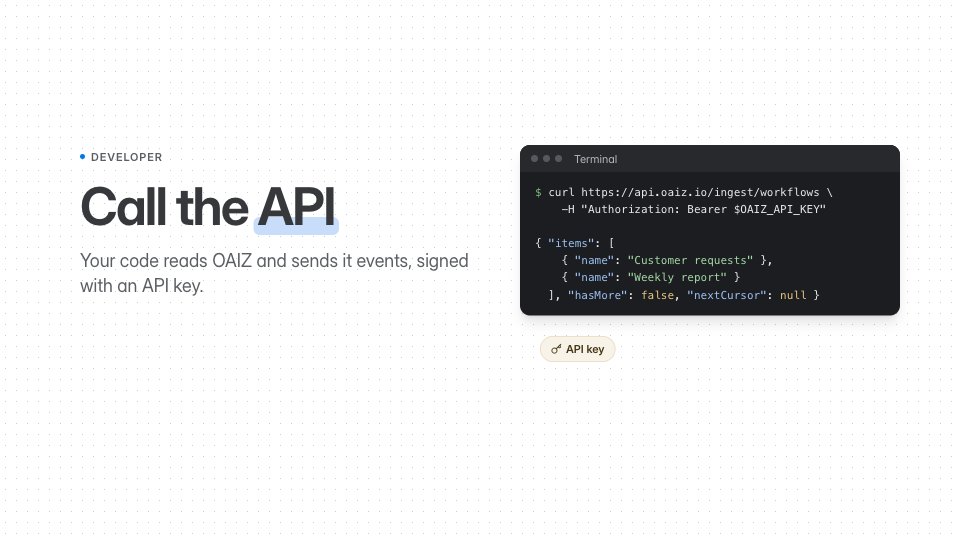
Your software calls the API over HTTP, or through SDKs for TypeScript, Python and Go. Read lists what your account can see, or fetches a single item, such as one run. Change edits a draft, tests it, and publishes the work you checked. Publish sends an event from your own system, and matching live workflows react.
0:51API keys
A program signs in with an API key, which you create in Settings, under API keys. Each key belongs to a person or a service account, and uses that account's current access. It goes in the Authorization header. Keep it on your server, and out of browser code.
1:09A request and its response
Maya sends the contact form on Fjord Living's website, and the shop's server passes it to OAIZ. It posts to the publish address, with the API key in the header. The body is the event. Its provider is custom, and its properties carry her message. OAIZ answers that the event was created, and every live workflow with that trigger starts. If it fails, 401 means the key did not work, and 403 means the account is not allowed.
1:41The CLI
The CLI brings the same operations to your terminal. To build, get a workflow as a file, edit it, and save it on a new branch. Test the branch on the latest real event. By default, a test keeps integration writes off. To deploy, merge the branch into main and set it live. Apps work the same way. Pull the files, push your changes, and publish. One more command installs the OAIZ skill, so a coding agent can do this too.
2:15When to use which
Use the API when your own software works with OAIZ, like a website that sends events. Use the CLI when you, a script or a coding agent build, test and deploy workflows and apps. Now you know what each one is for. The API and CLI pages in the docs go deeper.